Reading List
The most recent articles from a list of feeds I subscribe to.
Custom <select> drop downs with CSS3
The CSS3 Basic UI module defines pointer-events as:
The
pointer-eventsproperty allows authors to control whether or when an element may be the target of user pointing device (pointer, e.g. mouse) events. This property is used to specify under which circumstance (if any) a pointer event should go “through” an element and target whatever is “underneath” that element instead. This also applies to other “hit testing” behaviors such as dynamic pseudo-classes (:hover, :active, :focus), hyperlinks, and Document.elementFromPoint().
The property was originally SVG-only, but eventually browsers and the W3C adopted a more limited version for HTML elements too.
It can be used in many use cases that weren’t possible before (or the solution was overly complicated), one of them being to create custom-looking <select> drop downs, by overlaying an element over the native drop down arrow (to create the custom one) and disallowing pointer events on it. Here’s a quick example:
-webkit-appearance: none was needed in Webkit to turn off the native OSX appearance (in OSX and maybe Safari on Windows, I didn’t test that). However, since that also removes the native drop down arrow, our custom arrow now obscures part of the text, so we had to add a 30px padding-right to the select element, only in Webkit. You can easily detect if pointer-events is supported via JS and only apply this it if it is (eg by adding or removing a class from the body element):
if(!(‘pointerEvents’ in document.body.style)) { … }
However, there is one caveat in this: Opera does include pointerEvents in HTML elements as well, but it does not actually support the property on HTML. There’s a more elaborate feature detection script here as a Modernizr plugin (but the code is quite short, so you can adapt it to your needs).
Also, don’t try to replicate the behavior in JavaScript for browsers that don’t support this: it’s impossible to open a <select> drop down with JavaScript. Or, to put it differently, if you manage to do it, you’ll probably be the first to. Everything I could think of failed and I spent hours yesterday searching for a way, but no avail.
References
Checkerboard pattern with CSS3
A while ago, I wrote a post on creating simple patterns with CSS3 gradients. A common pattern I was unable to create was that of a regular, non-rotated checkerboard. However, I noticed today that by giving a different background-position to every triangle in the pattern tile, a checkerboard can be easily created:
View in Gecko or Webkit. Webkit seems to have an odd rendering bug, so it needed a background-size override and it still doesn’t look perfect. Oh well, reported the bug and moved on.
Checkerboard pattern with CSS3
A while ago, I wrote a post on creating simple patterns with CSS3 gradients. A common pattern I was unable to create was that of a regular, non-rotated checkerboard. However, I noticed today that by giving a different background-position to every triangle in the pattern tile, a checkerboard can be easily created:
View in Gecko or Webkit. Webkit seems to have an odd rendering bug, so it needed a background-size override and it still doesn’t look perfect. Oh well, reported the bug and moved on.
Incrementable length values in text fields
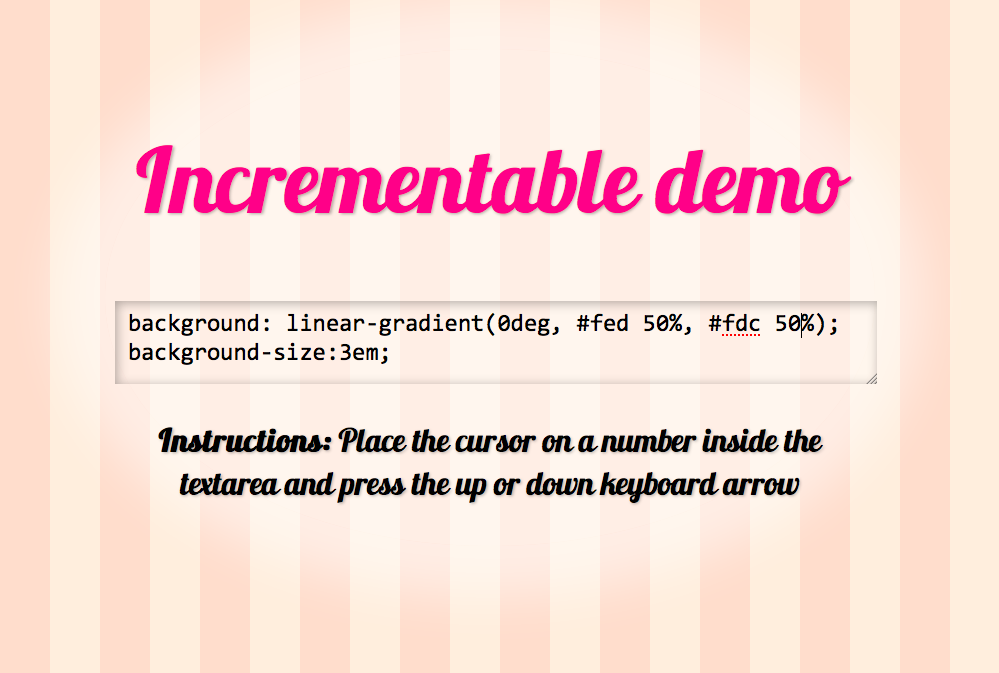 I always loved that Firebug and Dragonfly feature that allows you to increment or decrement a
 <length> value by pressing the up and down keyboard arrows when the caret is over it. I wished my Front Trends slides supported it in the editable examples, it would make presenting so much easier. So, I decided to implement the functionality, to use it in my next talk.
If you still have no idea what I’m talking about, you can see a demo here: View demo
You may configure it so that it only does that when modifiers (alt, ctrl and/or shift) are used by providing a second argument to the constructor and/or change the units supported by filling in the third argument. However, bear in mind that holding down the Shift key will make it increment by ±10 instead of ±1 and that’s not configurable (it would add too much unneeded complexity, I’m not even sure whether it’s a good idea to make the other thing configurable either).
You may download it or fork it from it’s Github repo.
And if you feel creative, you may improve it by fixing an Opera bug I gave up on: When the down arrow is pressed, the caret moves to the end of the string, despite the code telling it not to.
Incrementable length values in text fields
I always loved that Firebug and Dragonfly feature that allows you to increment or decrement a <length> value by pressing the up and down keyboard arrows when the caret is over it. I wished my Front Trends slides supported it in the editable examples, it would make presenting so much easier. So, I decided to implement the functionality, to use it in my next talk.
If you still have no idea what I’m talking about, you can see a demo here: View demo
You may configure it so that it only does that when modifiers (alt, ctrl and/or shift) are used by providing a second argument to the constructor and/or change the units supported by filling in the third argument. However, bear in mind that holding down the Shift key will make it increment by ±10 instead of ±1 and that’s not configurable (it would add too much unneeded complexity, I’m not even sure whether it’s a good idea to make the other thing configurable either).
You may download it or fork it from it’s Github repo.
And if you feel creative, you may improve it by fixing an Opera bug I gave up on: When the down arrow is pressed, the caret moves to the end of the string, despite the code telling it not to.