Reading List
The most recent articles from a list of feeds I subscribe to.
My experience from Frontendconf Zurich
I’m writing this blog post while eating some of the amazing Lindt chocolates I got for free 10 days ago at Frontend conference in Zurich. But it wasn’t a good experience only because of them!
First of all, it gave me the opportunity to visit Zurich for free, and meet an old friend for the first time. A girl we used to be penpals with at primary school & junior high when she was still living in Athens and I in Lesvos. She is now living in Zurich and doing her PhD in ETH. I arrived in Zurich a day earlier and stayed in her place that first night. We caught up and I had a great time.
Secondly, the rest of the speakers are great people and fun too, it was a pleasure to meet them. Especially Smashing Magazine’s Vitaly Friedman. He’s a very kind guy, nothing like what you’d expect from somebody so successful. I also got the chance to meet Robert again, who was lots of fun as always. Those Swedes have a great sense of humor!
The conference itself was very nice, although small (only 200 people). Many inspiring talks, although I couldn’t attend them all because they were split into multiple tracks in one day. I would very much prefer it if it had 1 track and was 2 days. The 2nd day was an unconference, where attendees could speak, about whatever they wanted. I decided to get some sleep the second day, so I arrived a bit later, and didn’t attend many talks. It was kinda sad that it finished so early, around 4pm almost everyone was gone and most speakers were flying back the same day.
My talk went great, although I had the most technical glitches I’ve ever faced in a talk. That was my fault, not the conference’s. I guess I should learn to stop tweaking my slides at the last moment, cause things might break (and this time they did). Despite those glitches however, the audience loved it. Here’s a small sample of the twitter feedback I got:
https://twitter.com/frontendconfch/status/112089631616532480
https://twitter.com/FabianBeiner/status/112089949096001536
https://twitter.com/michalbe/status/112090281519751168
https://twitter.com/jfahrenkrug/status/112091377571074048
https://twitter.com/kcornelius/status/112091409833668608
https://twitter.com/backflip/status/112091599823056896
https://twitter.com/cainvommars/status/112091892581285888
https://twitter.com/euklid/status/112093174897459200
https://twitter.com/shvi/status/112095896040243200
https://twitter.com/lorentzforce/status/112096221350461441
https://twitter.com/mettlerd/status/112101440541032448
https://twitter.com/FabianBeiner/status/112101569058713600
https://twitter.com/jfahrenkrug/status/112101867424718848
https://twitter.com/jfahrenkrug/status/112103061736009729
https://twitter.com/Schnitzel/status/112103388187070464
https://twitter.com/marcoegli/status/112103726835175424
https://twitter.com/FabianBeiner/status/112103972227133440
https://twitter.com/mauricenaef/status/112104694171705344
https://twitter.com/lulezi/status/112105754789560320
https://twitter.com/smash\_it\_on/status/112107410155515904
https://twitter.com/walktheweb/status/112107790918615040
https://twitter.com/andypanix/status/112113881966579712
https://twitter.com/lorentzforce/status/112121470355914752
https://twitter.com/loleg/status/112126016213876738
https://twitter.com/whitefleaCH/status/112132969468137472
https://twitter.com/Juztin/status/112195913929326592
https://twitter.com/codepo8/status/112252082718916608
https://twitter.com/derSchepp/status/112275821703602176
https://twitter.com/susanjrobertson/status/112286939964641280
If you read the above carefully, you might have noticed that my talk was recorded, so you can see it too. :) Enjoy!
Major update to Chainvas: modularity, a client side build script & more
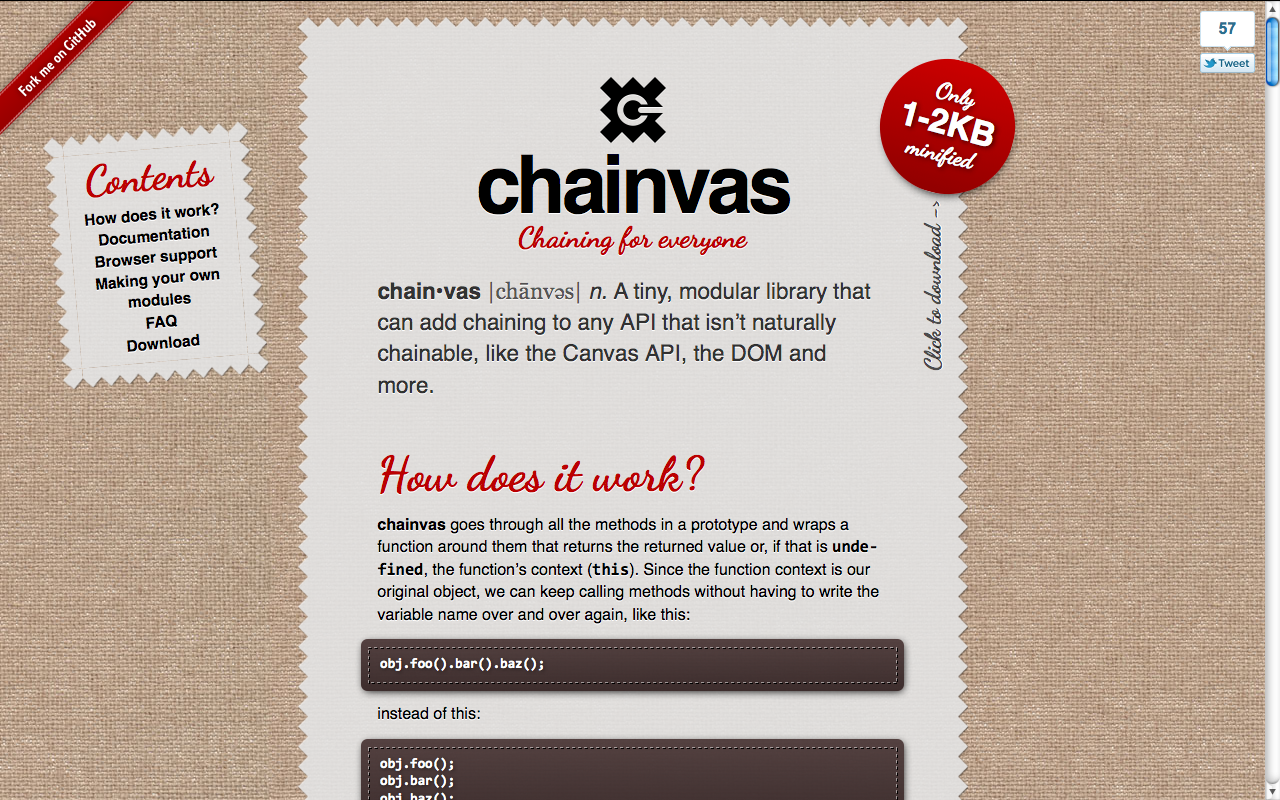 A week ago, I released Chainvas. It was a spin-off script I wrote while developing my cubic-bezier tool, to make using the Canvas API a bit less painful. However, unlike similar attempts to make the Canvas API chainable, most of my code was written in a very generic manner, and was actually able to make every API chainable. However, when I released it, even though I mentioned that it can be used for other APIs and provided some examples, practically everyone that shared the link on twitter or other means (thank you .net magazine for the newsletter mention btw!) focused on what Chainvas did for Canvas.
 Actually, while using Chainvas myself, I found it immensely more useful for chaining DOM methods and setting multiple element properties at once. Chainvas had a lot of potential, that most people were missing. And then it dawned on me: I should modularize the library! A generic chaining library at its core and additional modules for making the different APIs chainable. And I did it.
On the way to that, I added IE8 compatibility, and tested in many other browsers, thanks to Browserstack. I actually found that Chainvas’ core even works in IE6! I also wrote unit tests, a much more extensive documentation, added a script generated table of contents and designed a logo and a Chainvas pride banner.


Also, since it was now modular, it needed a build script. I badly wanted to make this client side, so I followed this architecture:
- Every module is included in chainvas.js and chainvas.min.js, along with a header comment that follows a specific syntax.
- The user selects a compression level and then, the relevant script is downloaded through XHR and split into parts according to the module headers. Then a module list is generated with checkboxes for the user to select the ones they want to include.
- When the user checks and unchecks those checkboxes, the URL of the download link changes to a data URI that contains the script.
This approach has the disadvantage that there is no default filename, and the “Save page as…” link is deactivated in Chrome (why Chrome??). However, I like the idea so much, I don’t mind these shortcomings.
That’s about it. Enjoy and let me know about any bugs.
Major update to Chainvas: modularity, a client side build script & more
A week ago, I released Chainvas. It was a spin-off script I wrote while developing my cubic-bezier tool, to make using the Canvas API a bit less painful. However, unlike similar attempts to make the Canvas API chainable, most of my code was written in a very generic manner, and was actually able to make every API chainable. However, when I released it, even though I mentioned that it can be used for other APIs and provided some examples, practically everyone that shared the link on twitter or other means (thank you .net magazine for the newsletter mention btw!) focused on what Chainvas did for Canvas.
Actually, while using Chainvas myself, I found it immensely more useful for chaining DOM methods and setting multiple element properties at once. Chainvas had a lot of potential, that most people were missing. And then it dawned on me: I should modularize the library! A generic chaining library at its core and additional modules for making the different APIs chainable. And I did it.
On the way to that, I added IE8 compatibility, and tested in many other browsers, thanks to Browserstack. I actually found that Chainvas’ core even works in IE6! I also wrote unit tests, a much more extensive documentation, added a script generated table of contents and designed a logo and a Chainvas pride banner.
Also, since it was now modular, it needed a build script. I badly wanted to make this client side, so I followed this architecture:
- Every module is included in chainvas.js and chainvas.min.js, along with a header comment that follows a specific syntax.
- The user selects a compression level and then, the relevant script is downloaded through XHR and split into parts according to the module headers. Then a module list is generated with checkboxes for the user to select the ones they want to include.
- When the user checks and unchecks those checkboxes, the URL of the download link changes to a data URI that contains the script.
This approach has the disadvantage that there is no default filename, and the “Save page as…” link is deactivated in Chrome (why Chrome??). However, I like the idea so much, I don’t mind these shortcomings.
That’s about it. Enjoy and let me know about any bugs.
A better tool for cubic-bezier() easing
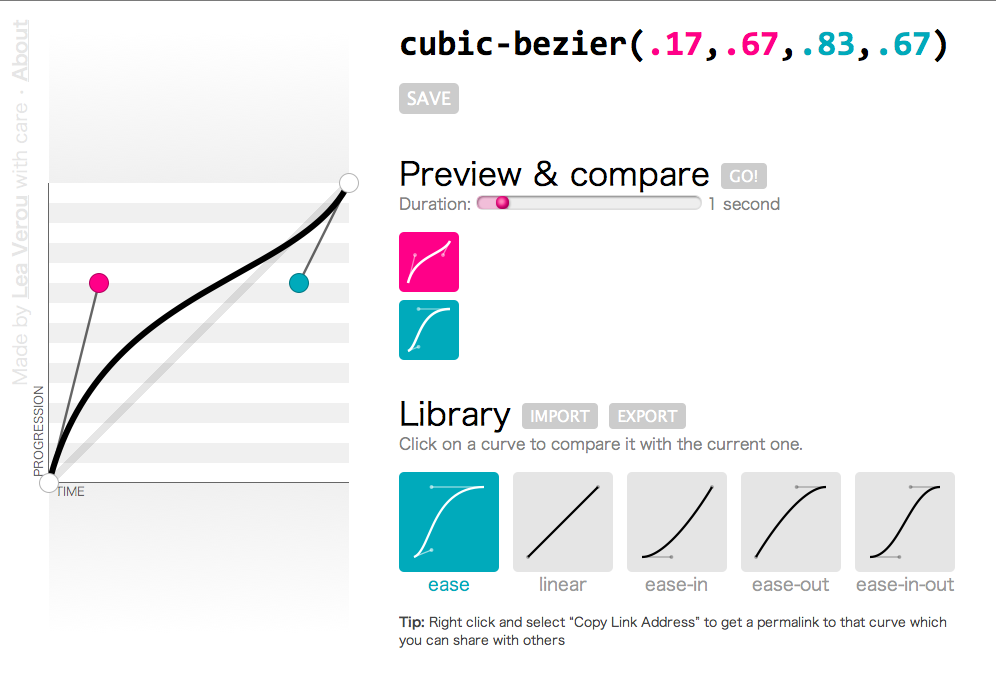 A few days ago, I had a talk at a conference in Zurich (I’m going to write more about it in another post). The talk was about “10 things you might not know about CSS3”. The first of those things was how you can do bouncing transitions with cubic-bezier() instead of an easing keyword. As usual, my slides included a few live demos of the functionality, in which I edited the cubic-bezier() parameters and the audience could see the transition produced.
However, in the case of cubic-bezier() that’s not enough. No matter how much you see someone changing the parameters, if you don’t picture it in a 2D plane, it’s very hard to understand how it works. So, the night before, I searched for a tool I could use to show them how bezier curves are formed. I found plenty, but all of them restricted the the coordinates to the 0-1 range. I’m not sure if the cause is ignorance about the spec changes or that Webkit hasn’t caught up with those changes yet (but it will, soon). The only one that supported values out of range was this one from the Opera Dragonfly developers, but I found it kinda impossible to adapt.
For my talk, I tried to adapt one of them but it was late so I gave up after a while and ended up just showing them a screenshot. And the day after the talk, I started adapting this to my needs (ever tried coding at a conference? It’s awesome, you get to ask questions from very knowledgeable people and ger replies straight away). And then I started cleaning up the code, changing how it worked, adding features. At this point, I think the only thing that’s left from that tool is …the HTML5 doctype. After 3-4 days, I finished it, and got it its own domain, cubic-bezier.com (I was surprised it was still free).
So, in a nutshell, what makes this better?
Lots of things:
- It supports y values out of range, as per the latest version of the spec (and shows a warning for Webkit)
- It’s fully accessible from the keyboard
- You can move the handles not only by dragging but also by clicking on the plane or using the keyboard arrow keys
- You can mouse over the plane and see the progression and time percentages that correspond to every point
- You can save curves you like in your “Library” (uses localStorage to persist them)
- You can import and export curves to/from your library to share them with others
- You can share a permalink to every curve. For example, here’s a bouncing transition (FF & Opera only)
- You can compare the current curve with any in your library, setting the duration yourself
- Custom favicon that reflects the current curve
Cool stuff used
Given that this tool is not only for developers, but for badass developers that care about stuff like cubic-bezier(), I think I can safely assume they’re using a top notch browser. So, I went crazy with using cool modern stuff:
- HTML5: Canvas, localStorage, History API, range inputs, oninput event, output, classList, data- attributes
- ES5: Accessors, Array#map, Array#forEach
- Selectors API
- JSON
- CSS3: Transitions, gradients, media queries, border-radius, shadows, :in-range pseudoclass, box-sizing, transforms, text-overflow
I also used my tiny chaining framework, Chainvas throughout this project.
Browser support
So far, I’ve tested it in modern versions of Chrome, Firefox, Opera and Safari and it seems to work. I haven’t tested it in IE10 (too lazy to open vm), although I want it to work there too, so if it doesn’t let me know. :)
Enjoy! cubic-bezier.com
A better tool for cubic-bezier() easing
A few days ago, I had a talk at a conference in Zurich (I’m going to write more about it in another post). The talk was about “10 things you might not know about CSS3”. The first of those things was how you can do bouncing transitions with cubic-bezier() instead of an easing keyword. As usual, my slides included a few live demos of the functionality, in which I edited the cubic-bezier() parameters and the audience could see the transition produced.
However, in the case of cubic-bezier() that’s not enough. No matter how much you see someone changing the parameters, if you don’t picture it in a 2D plane, it’s very hard to understand how it works. So, the night before, I searched for a tool I could use to show them how bezier curves are formed. I found plenty, but all of them restricted the the coordinates to the 0-1 range. I’m not sure if the cause is ignorance about the spec changes or that Webkit hasn’t caught up with those changes yet (but it will, soon). The only one that supported values out of range was this one from the Opera Dragonfly developers, but I found it kinda impossible to adapt.
For my talk, I tried to adapt one of them but it was late so I gave up after a while and ended up just showing them a screenshot. And the day after the talk, I started adapting this to my needs (ever tried coding at a conference? It’s awesome, you get to ask questions from very knowledgeable people and ger replies straight away). And then I started cleaning up the code, changing how it worked, adding features. At this point, I think the only thing that’s left from that tool is …the HTML5 doctype. After 3-4 days, I finished it, and got it its own domain, cubic-bezier.com (I was surprised it was still free).
So, in a nutshell, what makes this better?
Lots of things:
- It supports y values out of range, as per the latest version of the spec (and shows a warning for Webkit)
- It’s fully accessible from the keyboard
- You can move the handles not only by dragging but also by clicking on the plane or using the keyboard arrow keys
- You can mouse over the plane and see the progression and time percentages that correspond to every point
- You can save curves you like in your “Library” (uses localStorage to persist them)
- You can import and export curves to/from your library to share them with others
- You can share a permalink to every curve. For example, here’s a bouncing transition (FF & Opera only)
- You can compare the current curve with any in your library, setting the duration yourself
- Custom favicon that reflects the current curve
Cool stuff used
Given that this tool is not only for developers, but for badass developers that care about stuff like cubic-bezier(), I think I can safely assume they’re using a top notch browser. So, I went crazy with using cool modern stuff:
- HTML5: Canvas, localStorage, History API, range inputs, oninput event, output, classList, data- attributes
- ES5: Accessors, Array#map, Array#forEach
- Selectors API
- JSON
- CSS3: Transitions, gradients, media queries, border-radius, shadows, :in-range pseudoclass, box-sizing, transforms, text-overflow
I also used my tiny chaining framework, Chainvas throughout this project.
Browser support
So far, I’ve tested it in modern versions of Chrome, Firefox, Opera and Safari and it seems to work. I haven’t tested it in IE10 (too lazy to open vm), although I want it to work there too, so if it doesn’t let me know. :)
Enjoy! cubic-bezier.com