Reading List
The most recent articles from a list of feeds I subscribe to.
File watching with chokidar
File watchers are powerful tools. We take them for granted because they’re often baked in, like Webpack rebuilding when you save a file.
Sometimes I’m in an environment without auto-reloading to my disposal. Yesterday, I was working on a CLI tool. The workflow was modify code, save changes, switch to terminal, run the tool, and look at the output. It’s not that bad, but I’d prefer a shorter feedback loop.
This is where a file watcher gives you superpowers. I went with chokidar because it has the friendliest API.
First, install chokidar-cli:
npm i chokidar-cli -g
Then you can watch the files you’re working on, and run a command when they change.
chokidar "src/**/*.php" -c "php ./build.php"
When a PHP file changes in src, the build command will run. If I keep iTerm (and Ray) open alongside my editor, I’ll have immediate feedback for my changes. This is also a great way to automatically run tests for immediate feedback.
chokidar \
"src/**/*.php" "tests/**/*.php" \
-c "phpunit --filter test_i_am_working_on"
I like having a file watcher handy, it’s one of those Swiss Army knife developer tools that came come in useful in many scenarios.
Self-hosting Google Fonts
I haven’t used Google Fonts in production for a long time. I use the service for development, and strip out all references to Google before going live. I do this for performance, and my visitors' privacy.
The current performance recommendation is to self-host web fonts to reduce DNS lookups. When self-hosting, you can also add preload links to make sure critical fonts are loaded as soon as possible. For more about this, read Simon Hearne’s excellent essay on avoiding layout shifts caused by web fonts.
Google has a vague privacy statement surrounding Google Fonts. When it comes to collecting data, I’m rather safe than sorry with Google. More importantly, I don’t want to impose this on my site’s visitors.
To self-host, you need to download the fonts and write the appropriate @font-face CSS rules. Instead of doing this myself, I came across an excellent tool to streamline this process: google-fonts-helper. It holds the entire Google Fonts catalog. You can find your font, choose your styles, and generate a CSS snippet and font files to add to your site.
Lessons from Atomic Habits
Last year, I read Atomic Habits by James Clear. I first heard of James Clear during Justin Jackson’s Laracon 2019 talk in New York, when he quoted:
Every action you take is a vote for the type of person you wish to become.
No single instance will transform your beliefs, but as the votes build up, so does the evidence of your identity.
This is why habits are crucial. They cast repeated votes for being a type of person.
I picked up the book a while later. It was a great read and I got through it pretty quick! However, the key metric for a book like this is: did it have an impact on my daily life or mental models?
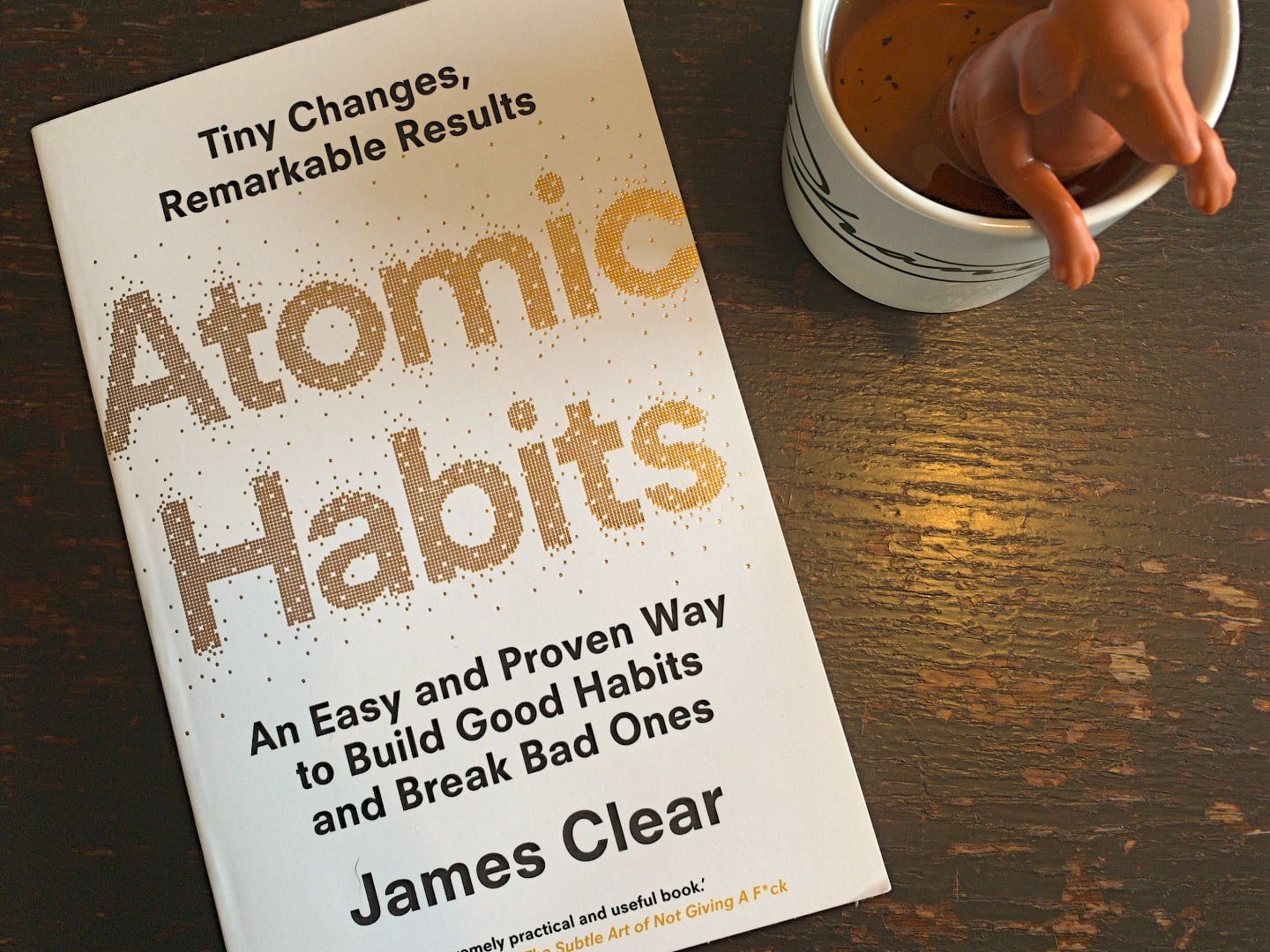
One year after reading, I’ve noticed there are a few things that stuck. I’ve distilled these to three principles that I refer to on a daily basis.
Something is better than nothing
It’s in the word “atomic”. Consistently doing something small is more sustainable than inconsistently doing something large.
For the past few weeks I’ve pushed myself to write 280 characters a day. 280 characters sounds like a long way from a goal like one long-form article per month. But the results speak for themselves: I’ve been writing more than ever.
As per Tim Urban, consistency compiles to huge numbers.
Be specific about goals
Tie habits to a specific time or place. Exercise every Monday, Wednesday, and Friday is easier to maintain than exercise 3 days a week.
It forces you to take action at a specific point in time, and—more importantly—prevents you from not taking any action at all.
Combine this with the previous principle and you’re set. It’s hard to argue with write 280 characters at the end of every work day.
Set yourself (and others) up for success
Reduce friction. Decrease the number of steps between you and your good habits.
Prime the environment. Prepare your environment to make future actions easier.
This one’s useful at the work place. If people need to jump through hoops to maintain a certain standard of quality, the standard will deteriorate.
Make it as easy as possible to do the right thing. The less friction there is to add a test, maintain a consistent code style, or write accessible code, the better maintained the project will be over time.
Reusable Alpine Components by Ryan Chandler
I’ve been using Alpine often lately. Ryan has written a lot of good stuff on Alpine, but his reusable components post is what really got me kickstarted.
You should be careful to not abstract too early. If you are finding it difficult to manage your Alpine component from the
x-dataattribute, this one is definitely for you.
The way this article builds up was very helpful: only use the level of abstraction you need:
- No abstractions
- Extract to a component function
- Use
x-spread - Mix in other data
The window.matchMedia API
To execute a piece of code when the viewport is a certain size, the first thing that comes to mind is adding a resize event listener to the window object. This is one way, but not always the best. Sometimes the lesser known window.matchMedia API is a better fit.
This is the well-known way to trigger something in JavaScript when the viewport size changes.
window.addEventListener('resize', (event) => {
if (window.innerWidth >= 960) {
// …
 } else {
// …
 }
});
The resize event is triggered whenever the viewport size changes. If the browser window is 1200px wide, and the user resizes, the callback will be called n times until they stop.
Performance issues can be solved with a debounce function to reduce the number of calls. Or, we can use the declarative matchMedia listener that will only execute when the match result changes.
window.matchMedia('(min-width: 960px)')
.addEventListener('change', (query) => {
if(query.matches) {
// …
 } else {
// …
 }
});
The callback will be invoked whenever query.matches changes true or false.
matchMedia is a fun little API. You can also access the current result with matches.
window.matchMedia('(min-width: 960px)').matches;
Since it’s built on media queries, you can use matchMedia for other things too—like dark mode!
window.matchMedia('(prefers-color-scheme: dark)').matches;