Reading List
The most recent articles from a list of feeds I subscribe to.
Testing IndieKit
I am at IndieWebCamp Brighton and I am testing IndieKit! Ignore this post.
Why Browsers Get Built
There are only two-and-a-half reasons to build a browser, and they couldn't be more different in intent and outcome, even when they look superficially similar. Learning to tell the difference is helpful for browser project managers and engineers, but also working web developers who struggle to develop theories of change for affecting browser teams.
Like Platform Adjacency Theory and The Core Web Platform Loop, this post started1 as a set of framing devices that I've been sketching on whiteboards for the best part of a decade. These lenses aren't perfect, but they provide starting points for thinking about the complex dynamics of browsers, OSes, "native" platforms, and the standards-based web platform.
The reasons to build browsers are most easily distinguished by the OSes they support and the size and composition of their teams ("platform" vs. "product"). Even so, there are subtleties that throw casual observers for a loop. In industrial-scale engineering projects like browser construction, headcount is destiny, but it isn't the whole story.
Web As Platform
This is simultaneously the simplest and most vexing reason to build a browser.
Under this logic, browsers are strategically important to a broader business, and investments in platforms are investments in their future competitiveness compared with other platforms, not just other browsers. But none of those investments come good until the project has massive scale.
This strategy is exemplified by the ambitions of Netscape, crisply captured by Andreesen's quip that the goal was to render Windows "a poorly debugged set of device drivers".
The idea is that the web is where the action is, and that the browser winning more user Jobs To Be Done follows from increasing the web platform's capability. This developer-enabling flywheel aims to liberate computing from any single OS, supporting a services model.
A Web As Platform play depends on credibly keeping up with expansions in underlying OS features. The goal is to deliver safe portable, interoperable, and effective versions of important capabilities at a fast enough clip to maintain faith in the web as a viable ongoing investment.
In some sense it's a confidence-management exercise. A Web As Platform endgame requires the platform increases expressive capacity year over year. It must do as many new things each year as new devices can, even if the introduction of those features is delayed for the web by several years; the price of standards.
Platform-play browsers aim to grow and empower the web ecosystem, rather than contain it or treat it as a dying legacy. Examples of this strategic orientation include Netscape, Mozilla (before it lost the plot), Chrome, and Chromium-based Edge (on a good day).
Distinguishing Traits
- Ship on many OSes and not just those owned by the sponsor
- Large platform teams (>200 people and/or >40% of the browser team)
- Visible, consistent investments in API leadership and capability expansion
- Balanced benchmark focus
- Large standards engagement footprint
The OS Agenda
There are two primary tactical modes of this strategic posture, both serving the same goal: to make an operating system look good by enabling a corpus of web content to run well on it while maintaining a competitive distance between the preferred (i.e., native, OS-specific) platform and the hopefully weaker web platform.
The two sub-variants differ in ambition owing to the market positions of their OS sponsors.

Browsers as Bridges
OSes deploy browsers as a bridge for users into their environment when they're underdogs or fear disruption.
Of course, it would be better from the OS vendor's perspective if everyone simply wrote software specifically tailored to their proprietary platform, maximising OS feature differentiation. But smart vendors also know that's not possible when an OS isn't dominant.
OS challengers, therefore, strike a bargain. For the price of developing a browser, they gain the web's corpus of essential apps and services, serving to "de-risk" the purchase of a niche device by offering broad compatibility with existing software through the web. If they do a good job, a conflicted short-term investment can yield enough browser share to enable a future turn towards moat tactics (see below). Examples include Internet Explorer 3-6 as well as Safari on Mac OS X and the first iPhone.2
Conversely, incumbents fearing disruption may lower their API drawbridges and allow the web's power to expand far enough that the incumbent can gain share, even if it's not for their favoured platform; the classic example here being Internet Explorer in the late 90s. Once Microsoft knew it had Netscape well and truly beat, it simply disbanded the IE team, leaving the slowly rusting husk of IE to decay. And it would have worked, too, if it weren't for those pesky Googlers pushing IE6 beyond what was "possible"!
Browsers as Moats
Without meaningful regulation, powerful incumbents can use anticompetitive tactics to suppress the web's potential to disrupt the OS and tilt the field towards the incumbent's proprietary software ecosystem.
This strategy works by maintaining sufficient browser share to influence developer choices while never allowing the browser team to deliver features sufficient to disrupt OS-specific alternatives.
In practice, moats are arbitrage on the unwillingness of web developers to understand or play the game, e.g. by loudly demanding timely features or recommending better browsers to users. Incumbents know that web developers are easily convinced to avoid "non standard" features and are happy to invent excuses for them. It's cheap to add a few features here and there to show you're "really trying," despite underfunding browser teams so much they can never do more than a glorified PR for the OS. This was the strategy behind IE 7-11 and EdgeHTML. Even relatively low share browsers can serve as effective moats if they can't be supplanted by competitive forces.
Apple has perfected the strategy, preventing competitors from even potentially offering disruptive features. This adds powerfully to the usual moat-digger's weaponisation of consensus processes. Engineering stop-energy in standards and quasi-standards bodies is nice, but it is so much more work than simply denying anyone the ability to ship the features that might threaten the proprietary agenda.
Tipping Points
Bridge and moat tactics appear very different, but the common thread is control with an intent to suppress web platform expansion. In both cases, the OS will task the browser team to heavily prioritise integrations with the latest OS and hardware features at the expense of more broadly useful capabilities — e.g. shipping "notch" CSS and "force touch" events while neglecting Push.
Browser teams tasked to build bridges can grow quickly and have remit that looks similar to a browser with a platform agenda. Still, the overwhelming focus starts (and stays) on existing content, seldom providing time or space to deliver powerful new features to the Web. A few brave folks bucked this trend, using the fog of war to smuggle out powerful web platform improvements under a more limited bridge remit; particularly the IE 4-6 crew.
Teams tasked with defending (rather than digging) a moat will simply be starved by their OS overlords. Examples include IE 7+ and Safari from 2010 onward. It's the simplest way to keep web developers from getting uppity without leaving fingerprints. The "soft bigotry of low expectations", to quote a catastrophic American president.
Distinguishing Traits
- Shipped only to the sponsor's OSes
- Browser versions tied to OS versions
- Small platform teams (<100 people and/or <30% of the browser team)
- Skeleton standards footprint
- Extreme focus on benchmarks of existing content
- Consistent developer gaslighting regarding new capabilities
- Anti-competitive tactics against competitors to maintain market share
- Inconsistent feature leadership, largely focused on highlighting new OS and hardware features
- Lagging quality
Searchbox Pirates
This is the "half-reason"; it's not so much a strategic posture as it is environment-surfing.
Over the years, many browsers that provide little more than searchboxes atop someone else's engine have come and gone. They lack staying power because their teams lack the skills, attitudes, and management priorities necessary to avoid being quickly supplanted by a fast-following competitor pursuing one of the other agendas.
These browsers also tend to be short-lived because they do not build platform engineering capacity. Without agency in most of their codebase, they either get washed away in unmanaged security debt, swamped by rebasing challenges (i.e., a failure to "work upstream"). They also lack the ability to staunch bleeding when their underlying engine fails to implement table-stakes features, which leads to lost market share.
Historical examples have included UC Browser, and more recently, the current crop of "secure enterprise browsers" (Chromium + keyloggers). Perhaps more controversially, I'd include Brave and Arc in this list, but their engineering chops make me think they could cross the chasm and choose to someday become platform-led browsers. They certainly have leaders who understand the difference.
Distinguishing Traits
- Shipped to many OSes
- Tiny platform teams (<20 people or <10% of the browser team)
- Little benchmark interest or focus
- No platform feature leadership
- No standards footprint
- Platform feature availability lags the underlying engine (e.g., UI and permissions not hooked up)
- Platform potentially languishes multiple releases behind "upstream"
Implications
This model isn't perfect, but it has helped me tremendously in reliably predicting the next moves of various browser players, particularly regarding standards posture and platform feature pace.3
The implications are only sometimes actionable, but they can help us navigate. Should we hope that a vendor in a late-stage browser-as-moat crouch will suddenly turn things around? Well, that depends on the priorities and fortunes of the OS, which dictate the strategy of their browser team.
Similarly, a Web As Platform strategy will maximise a browser's reach and its developers' potential, albeit at the occasional expense of end-user features.
The most important takeaway for developers may be what this model implies about browser choice. Products with an OS-first agenda are always playing second fiddle to a larger goal that does not put web developers first, second, or even third. Coming to grips with this reality lets us more accurately recommend browsers to users that align with our collective interests in a vibrant, growing Web.
FOOTNOTES
I hadn't planned to write this now, but an unruly footnote in an upcoming post, along with Frances' constant advice to break things up, made me realise that I already had 90% of it of ready. ⇐
IE and iOS Safari demonstrate the capacity of OS vendors to burn bridges, stranding web developers in an unattractive bind through of disinvestment in browsers they control which retain blocking market share.
As a result, it is not fear of engine monoculture that keeps me up at night, but rather the difficulty of displacing entrenched browsers from vendors with a proprietary agenda. ⇐
Modern-day Mozilla presents a puzzle within this model.
In theory, Mozilla's aims and interests align with growing the web as a platform; expanding its power to enable a larger market for browsers, and through it, a larger market for Firefox.
In practice, that's not what's happening. Despite investing almost everything it makes back into browser development, Mozilla has also begun to slow-walk platform improvements. It walked away from PWAs and has continued to spread FUD about device APIs and other features that would indicate an appetite for an expansive vision of the platform.
In a sense, it's playing the OS Agenda, but without an OS to profit from or a proprietary platform to benefit with delay and deflection. This is vexing, but perhaps expected within an organisation that has entered a revenue-crunch crouch. Another way to square the circle is to note that the Mozilla Manifesto doesn't actually speak about the web at all. If the web is just another fungible application running atop the internet (which the manifesto does centre), then it's fine for the web to be frozen in time, or even shrink.
Still, Mozilla leadership should be thinking hard about the point of maintaining an engine. Is it to hold the coats of proprietary-favouring OS vendors? Or to make the web a true competitor? ⇐
We Good: Affirmations for Black Women on IWD
How HEAD works in git
Hello! The other day I ran a Mastodon poll asking people how confident they were that they understood how HEAD works in Git. The results (out of 1700 votes) were a little surprising to me:
- 10% “100%”
- 36% “pretty confident”
- 39% “somewhat confident?”
- 15% “literally no idea”
I was surprised that people were so unconfident about their understanding –
I’d been thinking of HEAD as a pretty straightforward topic.
Usually when people say that a topic is confusing when I think it’s not, the
reason is that there’s actually some hidden complexity that I wasn’t
considering. And after some follow up conversations, it turned out that HEAD
actually was a bit more complicated than I’d appreciated!
Here’s a quick table of contents:
- HEAD is actually a few different things
- the file .git/HEAD
- HEAD as in git show HEAD
- next: all the output formats
HEAD is actually a few different things
After talking to a bunch of different people about HEAD, I realized that
HEAD actually has a few different closely related meanings:
- The file
.git/HEAD HEADas ingit show HEAD(git calls this a “revision parameter”)- All of the ways git uses
HEADin the output of various commands (<<<<<<<<<<HEAD,(HEAD -> main),detached HEAD state,On branch main, etc)
These are extremely closely related to each other, but I don’t think the relationship is totally obvious to folks who are starting out with git.
the file .git/HEAD
Git has a very important file called .git/HEAD. The way this file works is that it contains either:
- The name of a branch (like
ref: refs/heads/main) - A commit ID (like
96fa6899ea34697257e84865fefc56beb42d6390)
This file is what determines what your “current branch” is in Git. For example, when you run git status and see this:
$ git status
On branch main
it means that the file .git/HEAD contains ref: refs/heads/main.
If .git/HEAD contains a commit ID instead of a branch, git calls that
“detached HEAD state”. We’ll get to that later.
(People will sometimes say that HEAD contains a name of a reference or a
commit ID, but I’m pretty sure that that the reference has to be a branch.
You can technically make .git/HEAD contain the name of a reference that
isn’t a branch by manually editing .git/HEAD, but I don’t think you can do it
with a regular git command. I’d be interested to know if there is a
regular-git-command way to make .git/HEAD a non-branch reference though, and if
so why you might want to do that!)
HEAD as in git show HEAD
It’s very common to use HEAD in git commands to refer to a commit ID, like:
git diff HEADgit rebase -i HEAD^^^^git diff main..HEADgit reset --hard HEAD@{2}
All of these things (HEAD, HEAD^^^, HEAD@{2}) are called “revision parameters”. They’re documented in man
gitrevisions, and Git will try to
resolve them to a commit ID.
(I’ve honestly never actually heard the term “revision parameter” before, but that’s the term that’ll get you to the documentation for this concept)
HEAD in git show HEAD has a pretty simple meaning: it resolves to the
current commit you have checked out! Git resolves HEAD in one of two ways:
- if
.git/HEADcontains a branch name, it’ll be the latest commit on that branch (for example by reading it from.git/refs/heads/main) - if
.git/HEADcontains a commit ID, it’ll be that commit ID
next: all the output formats
Now we’ve talked about the file .git/HEAD, and the “revision parameter”
HEAD, like in git show HEAD. We’re left with all of the various ways git
uses HEAD in its output.
git status: “on branch main” or “HEAD detached”
When you run git status, the first line will always look like one of these two:
on branch main. This means that.git/HEADcontains a branch.HEAD detached at 90c81c72. This means that.git/HEADcontains a commit ID.
I promised earlier I’d explain what “HEAD detached” means, so let’s do that now.
detached HEAD state
“HEAD is detached” or “detached HEAD state” mean that you have no current branch.
Having no current branch is a little dangerous because if you make new commits, those commits won’t be attached to any branch – they’ll be orphaned! Orphaned commits are a problem for 2 reasons:
- the commits are more difficult to find (you can’t run
git log somebranchto find them) - orphaned commits will eventually be deleted by git’s garbage collection
Personally I’m very careful about avoiding creating commits in detached HEAD state, though some people prefer to work that way. Getting out of detached HEAD state is pretty easy though, you can either:
- Go back to a branch (
git checkout main) - Create a new branch at that commit (
git checkout -b newbranch) - If you’re in detached HEAD state because you’re in the middle of a rebase, finish or abort the rebase (
git rebase --abort)
Okay, back to other git commands which have HEAD in their output!
git log: (HEAD -> main)
When you run git log and look at the first line, you might see one of the following 3 things:
commit 96fa6899ea (HEAD -> main)commit 96fa6899ea (HEAD, main)commit 96fa6899ea (HEAD)
It’s not totally obvious how to interpret these, so here’s the deal:
- inside the
(...), git lists every reference that points at that commit, for example(HEAD -> main, origin/main, origin/HEAD)meansHEAD,main,origin/main, andorigin/HEADall point at that commit (either directly or indirectly) HEAD -> mainmeans that your current branch ismain- If that line says
HEAD,instead ofHEAD ->, it means you’re in detached HEAD state (you have no current branch)
if we use these rules to explain the 3 examples above: the result is:
commit 96fa6899ea (HEAD -> main)means:.git/HEADcontainsref: refs/heads/main.git/refs/heads/maincontains96fa6899ea
commit 96fa6899ea (HEAD, main)means:.git/HEADcontains96fa6899ea(HEAD is “detached”).git/refs/heads/mainalso contains96fa6899ea
commit 96fa6899ea (HEAD)means:.git/HEADcontains96fa6899ea(HEAD is “detached”).git/refs/heads/maineither contains a different commit ID or doesn’t exist
merge conflicts: <<<<<<< HEAD is just confusing
When you’re resolving a merge conflict, you might see something like this:
<<<<<<< HEAD
def parse(input):
    return input.split("\n")
=======
def parse(text):
    return text.split("\n\n")
>>>>>>> somebranch
I find HEAD in this context extremely confusing and I basically just ignore it. Here’s why.
- When you do a merge,
HEADin the merge conflict is the same as whatHEADwas when you rangit merge. Simple. - When you do a rebase,
HEADin the merge conflict is something totally different: it’s the other commit that you’re rebasing on top of. So it’s totally different from whatHEADwas when you rangit rebase. It’s like this because rebase works by first checking out the other commit and then repeatedly cherry-picking commits on top of it.
Similarly, the meaning of “ours” and “theirs” are flipped in a merge and rebase.
The fact that the meaning of HEAD changes depending on whether I’m doing a
rebase or merge is really just too confusing for me and I find it much simpler
to just ignore HEAD entirely and use another method to figure out which part
of the code is which.
some thoughts on consistent terminology
I think HEAD would be more intuitive if git’s terminology around HEAD were a little more internally consistent.
For example, git talks about “detached HEAD state”, but never about “attached
HEAD state” – git’s documentation never uses the term “attached” at all to
refer to HEAD. And git talks about being “on” a branch, but never “not on” a
branch.
So it’s very hard to guess that on branch main is actually the opposite of
HEAD detached. How is the user supposed to guess that HEAD detached has
anything to do with branches at all, or that “on branch main” has anything to
do with HEAD?
that’s all!
If I think of other ways HEAD is used in Git (especially ways HEAD appears in
Git’s output), I might add them to this post later.
If you find HEAD confusing, I hope this helps a bit!
Breadcrumbs, buttons and buy-in: Patterns Day 3
Yesterday I spent all day in a cinema full of design system nerds. Why? To attend Patterns Day 3. Eight speakers shared their knowledge: some zoomed out to see the bigger picture, others zoomed in on the nitty-gritty.
It was nice to be at another Patterns Day, after I attended the first and missed the second. Thanks Clearleft and especially Jeremy Keith for putting it together. In this post, I'll share my takeaways from the talks, in four themes: the design system practice, accessibility, the technical nitty-gritty, and communication.
 The day's venue: the Duke of York's cinema
The design system practice
Design system veteran Jina Anne, inventor of design tokens, opened the day with a reflection on over a decade of design systems (“how many times can I design a button in my career?”) and a look at the future. She proposed we find a balance between standardisation and what she called “intelligent personalisation”.
On the other hand, we aren't really done yet. There are so many complex UX patterns that can be solved more elegantly, as Vitaly Friedman showed. His hobbies include browsing postal office, governmental and e-commerce websites. He looks at the UIs they invent (so that we don't have to). Vitaly showed us more breadcrumbs than was necessary, including some that, interestingly, have feature-parity with meganavs.
Yolijn van der Kolk, product manager (and my colleague) at NL Design System, presented a unique way of approaching the design system practice: the “relay model”. It assigns four statuses to components and guidelines, which change over time on their road to standardisation. It allows innovation and collaboration from teams with wildly different needs in wildly different organisations. The statuses go from sharing a need (“Help Wanted”), to materialising it with a common architecture and guidelines (“Community”), to proposing it for real-life feedback (“Candidate”), to ultimately standardising an uncontroversial and well-tested version of it (”Hall of Fame”).
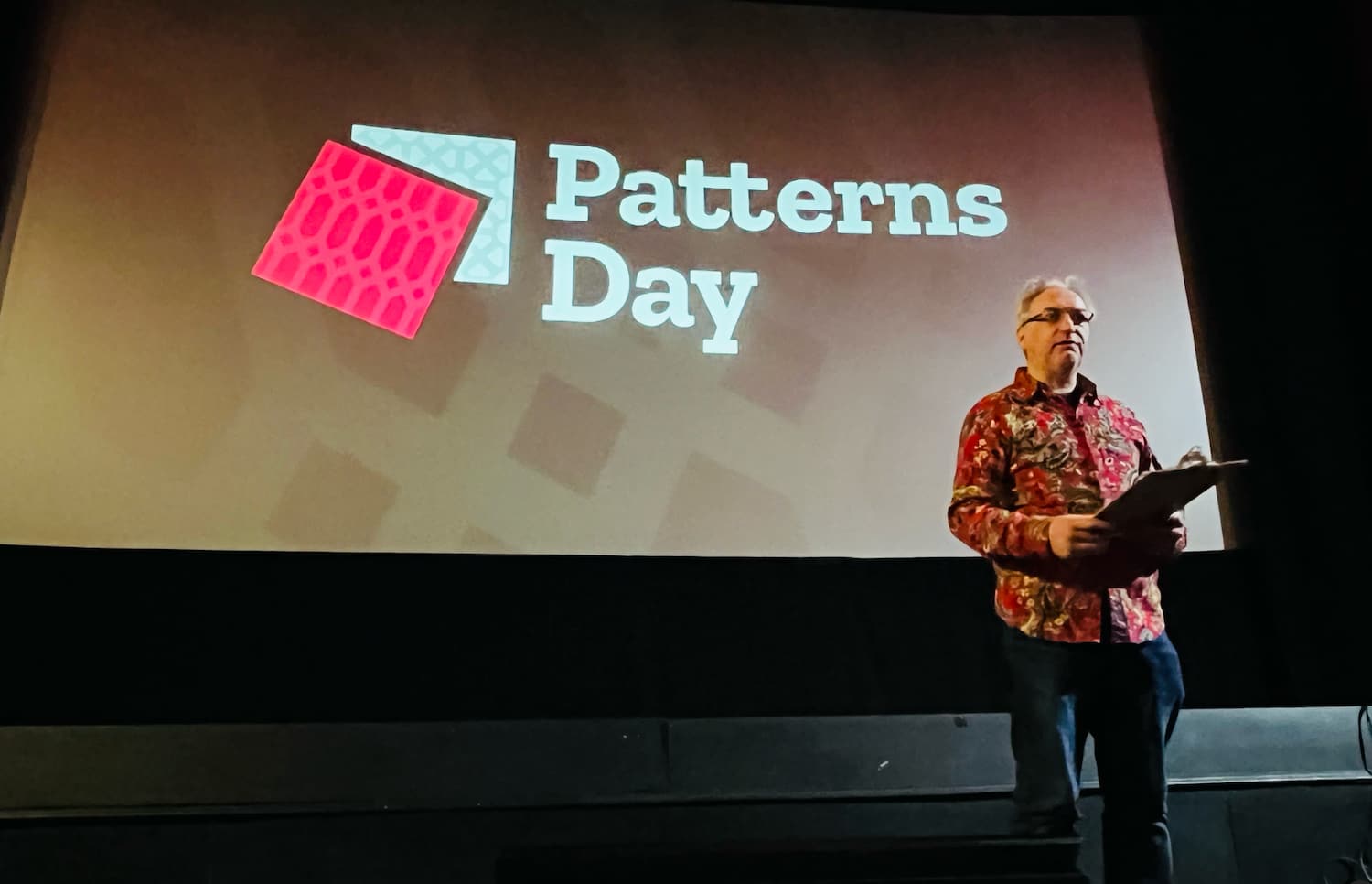 Jeremy Keith hosted the event
The technical nitty gritty
Two talks focused on design problems that can be solved with clever technical solutions: theming (through design tokens) and typography (through modular scales with modern CSS).
Débora Ornellas, who worked at Lego (haven't we all used the analogy?), shared a number of great recommendations around using design tokens: to use readily available open source products instead of inventing your own, publish tokens as packages and version them and avoid migration fatigue by reducing breaking changes.
Richard Rutter of Clearleft introduced us to typographic scales, which, he explained, are like musical scales. I liked how, after he talked about jazz for a bit, the venue played jazz in the break after his talk. He showed that contrast (eg in size) between elements is essential for good typography: it helps readers understand information hierarchy. How much depends on various factors, like screen size, but to avoid having to maintain many different scales, he proposed a typographic scale that avoids breakpoints, by using modern CSS features like clamp() (or a CSS locks based alternative if you don't want to risk failing WCAG 1.4.4). I suggest checking out Utopia to see both strategies in action.
Accessibility, magic and the design system
The power of design systems is that they can make it easier to repeat good things, such as well-engineered components. And they can repeat accessibility, but there is a lot of nuance, because that won't work magically.
Geri Reid (seriously, more conference organisers should invite Geri!) warned us about the notion that a design system will “fix” the accessibility of whichever system consumes it. Sounds like magic, and too good to be true? Yup, because what will inevitably happen, Geri explained, is that teams start using the “accessible” components to make inaccessible things. Yup, I have definitely seen this over and over.
To mitigate this risk of “wrong usage”, she explained, we need design systems to not just deliver components, but set standards and do education, too. At which point the design system can actually help build more accessible sites. For instance, if components contain ARIA, it's essential that the consumers of those components know how to configure that ARIA. In other words, design systems need very good documentation. Which brings me to the last theme: common understanding and why it matters.
Mitigating misunderstandings with better communication
The theme that stood out to me on the day: design system teams commonly have to deal with misunderstandings. Good communication is important. What a cliché, you might say, that's like anyone in any job. Yes, but it's specifically true for our field: design systems force collaboration between such a broad range of people. That includes similar-discipline-collaboration, like between designer and developer. Débora explained what can happen if they don't work together closely, or if breaking changes aren't communicated timely.
But it's also about wider collaboration: a design system team also needs to make sense to other departments, that have specific requirements and norms. Including those that don't really grasp all the technical details of front-end componentisation, like marketing or (non-web) brand teams, or the people who can help sponsor or promote the project. Samantha Fanning from UCL focused on this in her talk on “design system buy-in”, which she had a lot of useful tips about. She recommended to involve other departments early to do “co-design” rather than presenting (and surprising) them with a finished product. She also shared how it helped her to add design system work as extra scope onto existing projects, rather than setting up a design system specific project.
In her talk, Mary Goldservant of the Financial Times, also touched on the importance of communication. She shared how they got feedback from stakeholders and manage expectations, while working on a large update to Origami, the Financial Times' brilliantly named design system, that includes lots of changes, like multi-brand and multi-platform support.
Wrapping up
It was nice to hang out with so many like-minded folks and learn from them. A lot of the challenges, tools and ideas resonated. Once again, I've realised our problems aren't unique and many of us are in similar struggles, just in slightly different ways.
Originally posted as Breadcrumbs, buttons and buy-in: Patterns Day 3 on Hidde's blog.